Signs your elderly parent is being scammed, and how to bring it up
Secrecy, gift cards, new remote-access apps and sudden bank trips: what to watch for, how to ask about it calmly, and who to call.
The clearest signs that a parent is being scammed are secrecy about a phone call or a "case", requests to pay by gift card, wire transfer or cryptocurrency, a new remote-access app on their computer, and sudden trips to the bank to move or withdraw money. Any one of these is worth a calm question. Two or more together usually mean a scammer is already in touch with them.
These scams catch careful, intelligent people. The callers are trained, patient, and often sound like a real bank or Microsoft. Your job isn't to catch your parent out. It's to notice early and make it easy for them to tell you.
Why scammers tell your parent to keep it secret
Secrecy is the scammer's most important tool, because one phone call to you would end the scam. The FTC says scammers in fake emergency calls may say it's important to keep it secret, and advises calling someone else in the family even if the caller said not to. The FBI describes the same move in what it calls the "Phantom Hacker" scam: the fake bank employee tells the victim not to tell anyone the real reason they are moving their money.
So if your parent suddenly won't say who they've been on the phone with, or says "I can't talk about it", treat that as the sign itself, not as rudeness.
The warning signs, in four places
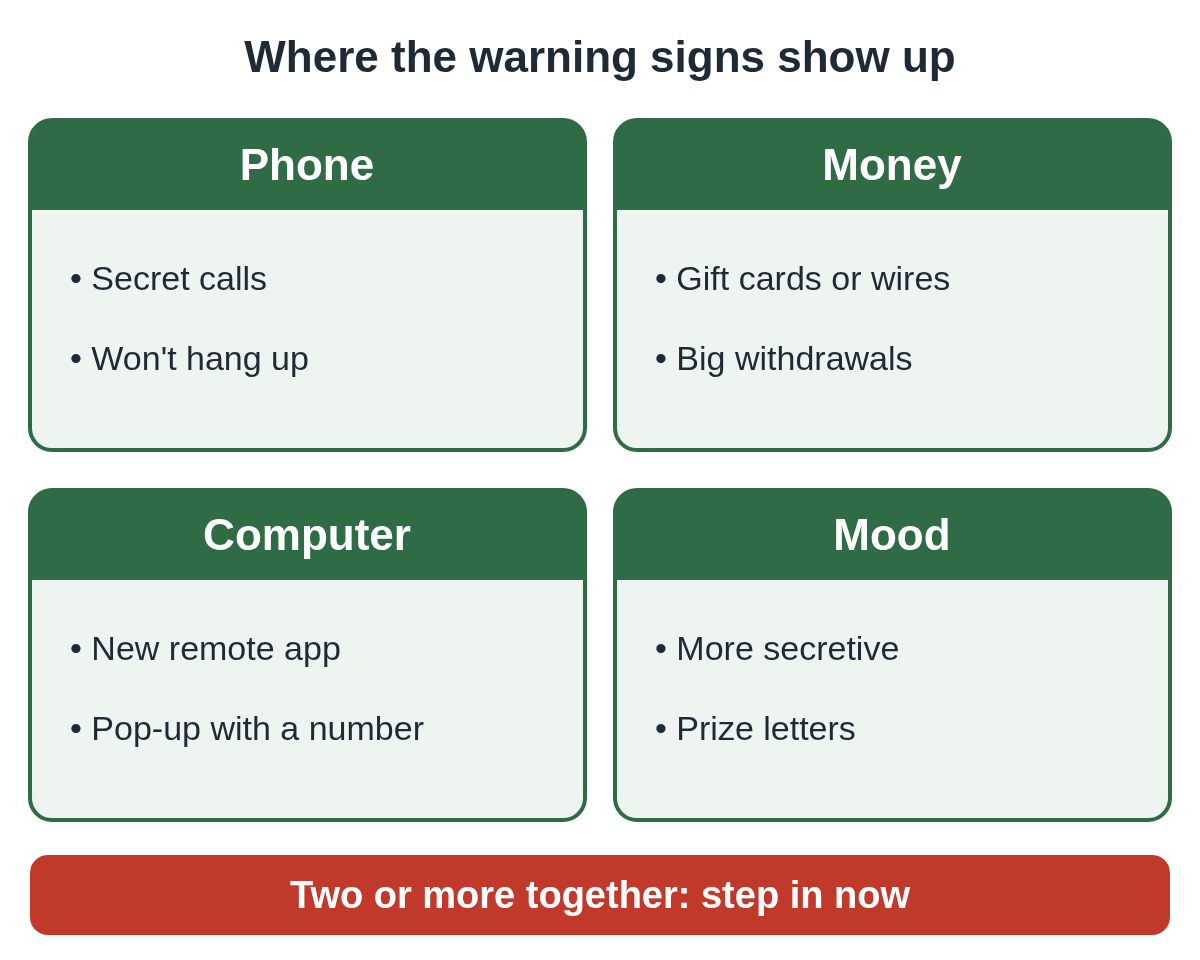
On the phone
- Long or repeated calls with "Microsoft", "Amazon", "the bank fraud department" or a "government agent".
- A caller who asks for information the real organization would already have, like a Social Security or account number. The CFPB lists this as a scam warning sign.
- Your parent stays on the line, or keeps the phone nearby, even when you visit.
- A frightening story with a deadline: their account is hacked, a grandchild is in jail, their computer is "infected".
Money
- Questions about buying gift cards, or gift card receipts lying around. The CFPB lists requests to pay by gift card, wire transfer or cryptocurrency as warning signs.
- Large cash withdrawals, or several trips to the bank in a few days.
- Talk of moving savings to a "safe" or "protected" account. In the FBI's description of the Phantom Hacker scam, fake bank and fake government callers tell victims their money is unsafe and must be moved.
- A letter saying they've won a prize, but they need to pay taxes or fees first.
On the computer
- A new program they didn't install themselves, such as AnyDesk, TeamViewer, ScreenConnect or UltraViewer. Open Settings, then Apps, then Installed apps (on Windows 10 it's Apps & features) and look at what was added recently.
- They mention that "the technician" moved the mouse or "fixed" things while they watched.
- A pop-up told them to call a number. Microsoft says its real error and warning messages never include a phone number.
If you think someone has been on the computer, our guide on how to tell if someone is controlling your PC walks through what to check.
Mood and habits
- More private or secretive than usual, which the CFPB lists as a warning sign of financial abuse.
- Anxious, short-tempered or embarrassed when money or the phone comes up.
- A new online "friend" or romantic interest who needs money.
- Piles of sweepstakes or prize mail, which the CFPB says can mean scammers are targeting them.
If brothers, sisters or neighbors also check in on your parent, print this list so everyone watches for the same things.
Checklist: signs a parent is being scammed (PDF)
How common is this?
Tech support scams fall hard on older people. The FBI reported that in the first half of 2023, almost 50% of tech support scam victims who reported to its Internet Crime Complaint Center were over 60, and they made up 66% of the losses. In the scams the FBI describes, the first step is often a caller getting your parent to install software that gives remote access to the computer.
How do I bring it up without starting a fight?
Talk privately, calmly, and more than once if you need to. The CFPB suggests open-ended questions and warns that it may take several conversations to get the whole story. People often hold back out of shame or fear, so lead with reassurance, not with "how could you".
A few ways to start, in your own words:
- "I read about a scam where someone calls pretending to be the bank. Has anyone called you like that?"
- "Who was on the phone earlier? You seemed worried."
- "If anyone ever tells you to keep something from me, that's how I'd know it's a scam. You'd never be in trouble for telling me."
If your parent gets defensive, drop it for now and come back to it. For longer scripts, see how to talk to elderly parents about scams. A family safe word also helps with fake emergency calls.
What to do if you think it's happening right now
If a scammer is on the phone or on the computer at this moment:
- Hang up the call.
- Disconnect the computer from the internet (unplug the cable or turn off Wi-Fi).
- Call the bank using the number on the back of the card, from a different phone.
- Change the email password from another device.
Then follow our two-minute checklist. If the scammer already had remote access, see what to do after a scammer had access to your parent's computer.
Who to call and where to report
- ReportFraud.ftc.gov: the FTC's reporting site.
- ic3.gov: the FBI's Internet Crime Complaint Center.
- Elder Fraud Hotline, (833) 372-8311: listed on the FBI's IC3 elder fraud page, Monday through Friday, 10 AM to 6 PM ET.
- Adult Protective Services: if you think someone your parent knows is taking their money, the CFPB points to your local APS office, which you can find through the National Adult Protective Services Association at napsa-now.org.
Making it harder next time
Most of these scams need your parent to do one thing: let a stranger into the computer or move money. You can't screen every call, but you can make the computer step harder. Xcelcor Guardian holds every new remote connection on a Windows 11 PC until the account holder approves it, by email or on xcelcor.com, and that account holder can be you. It lowers the risk that a caller gets in while you're not around. See how it works for families.
More posts for adult children are on the protecting parents page.
Questions people ask
Can I report a scam for my parent if they won't admit it?
Yes. You can report what you know at ReportFraud.ftc.gov or ic3.gov. If you think someone your parent knows is taking their money, contact your local Adult Protective Services.
Is it a scam if the caller says not to tell family?
Almost always. The FTC and the FBI both describe scammers asking victims to keep it secret, because one call to family would end it.
My parent let the caller onto their computer. What now?
Disconnect the computer from the internet, call the bank from the number on the card, and change the email password from another device. Then follow what to do after a scammer had remote access.
Sources
Reviewed by Bob Carter, CEO, on .
Last updated